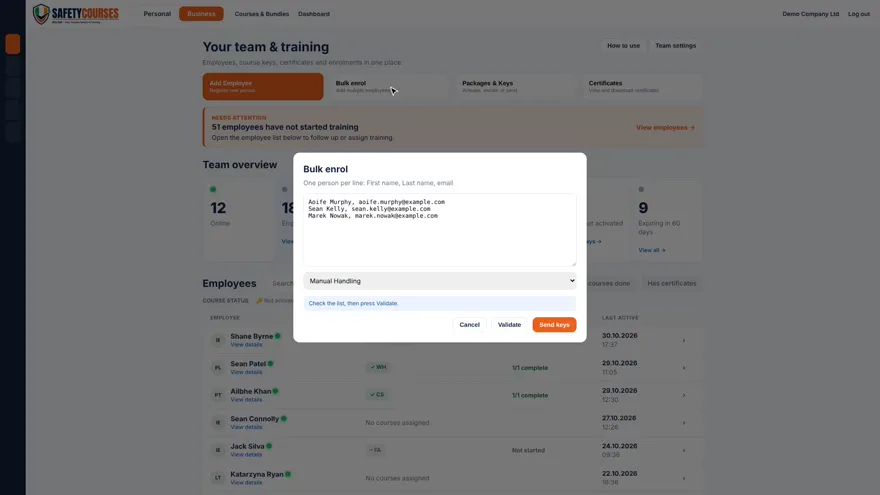
Enrol a group in one go
Add a list of staff, select their course and send the keys together. Use individual enrolment for a single new starter.
Watch bulk enrolmentFree LMS for employers
Assign safety courses, see who’s finished and download issued certificates from one business dashboard.
No monthly fee. Course keys are purchased separately.
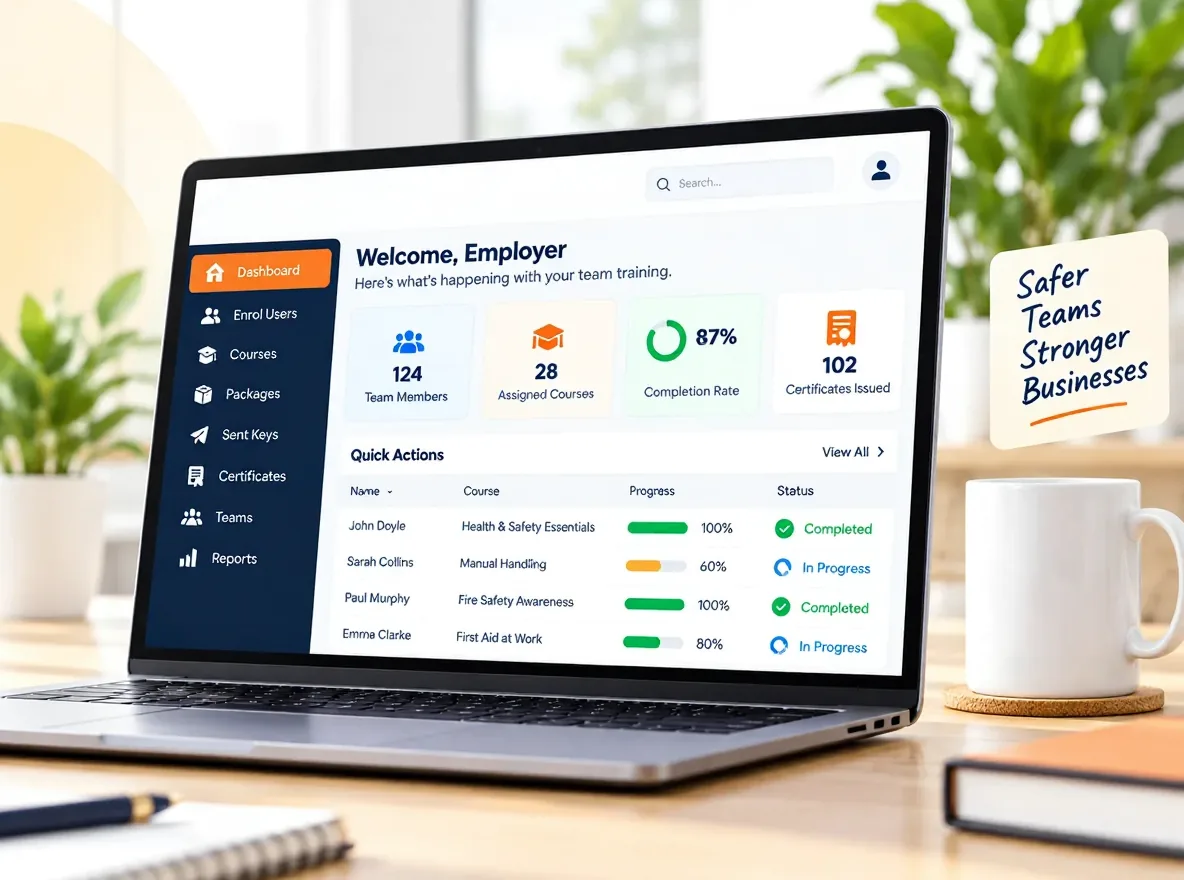
See the screens your team administrator will use to organise training and find records.
Add a list of staff, select their course and send the keys together. Use individual enrolment for a single new starter.
Watch bulk enrolment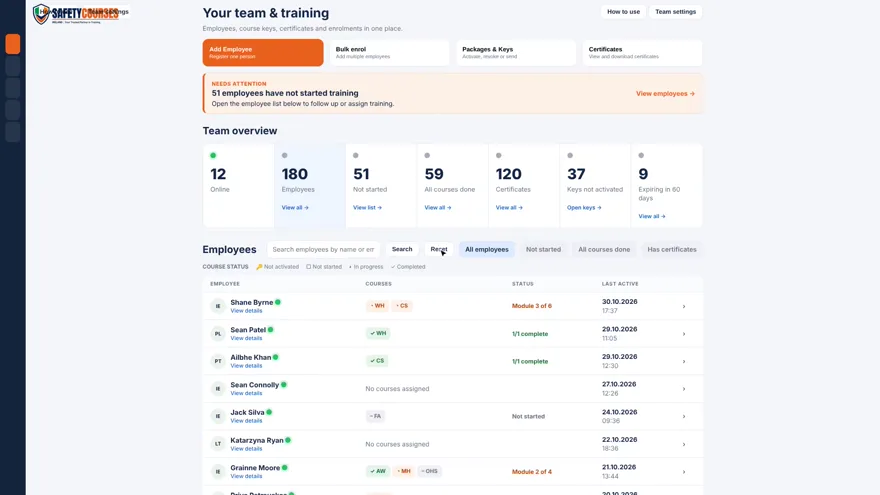
Search for a learner or filter the team list by progress. Check who has a key, who has started and who has finished.
Watch the team overview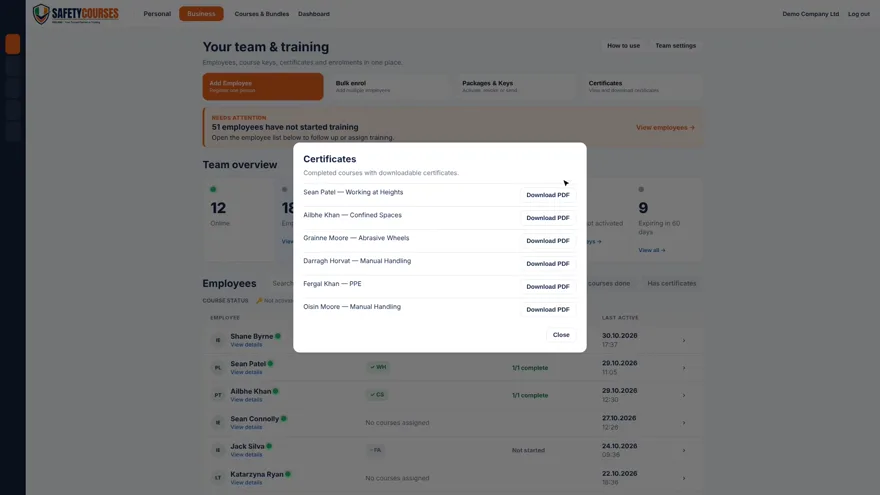
Open Certificates and download the PDF for the person and course you need. Keep a copy with your training records.
Watch certificate downloadsHow it works
Set up your account once. Use the same dashboard whenever someone joins, needs a course or asks for a certificate.
Create your account and add staff individually or use bulk enrolment for a group.
Buy the course keys you need and assign them to the right people. Learners get their own access.
See who hasn’t started and who has finished. Download PDF certificates as they’re issued.
Inside the dashboard
Watch the short tour or try the interactive dashboard with example staff.
The learner’s experience
Try the complete preview module without an account.

Keep keys ready for your next intake. Give each person the courses their role requires when they join.
Check training status from one account, even when staff work different shifts or at different sites.
Find a learner’s issued certificate in the dashboard and download a copy when it’s requested.
Team pricing
One course key gives one learner access to one course. Standard course keys cost less per person as you buy more.
Unused keys don’t expire. Specialist courses are priced separately.
See business packages| Course keys | Price per standard key |
|---|---|
| 1–5 | NZ$79 |
| 6–10 | NZ$73 |
| 11–20 | NZ$67 |
| 21–49 | NZ$63 |
| 50–99 | NZ$59 |
| 100–199 | NZ$54 |
| 200+ | NZ$47 |
Estimates are for standard course keys. Check the applicable price before you buy.
Course catalogue
Each course page lists its assessment, certificate and any applicable assurance.
Read verified learner reviews
Yes. There is no monthly LMS fee or learner limit. You buy course keys separately when you want to assign paid training.
No. You can create your account before buying keys. No card details are needed to create an account.
One key is for one learner on one course. Keep unused keys in your account and assign them when staff are ready.
Yes. Use bulk enrolment to add a group, or add employees individually for new starters.
An issued certificate is available as a PDF after the learner meets the course requirements. Some courses also require practical assessment.
Many courses offer multiple study and voiceover languages. Check the individual course page for the options available.
Yes. Open the free course module on this page to try the lessons and knowledge check as a learner.
Allow two keys per learner. For example, 25 learners taking two standard courses need 50 keys. Use the calculator to estimate the cost at that volume.
Create your account, open the Business dashboard and add your first learner when you’re ready.